
When default settings become a compliance problem
Microsoft is quietly enabling features that route EU data outside its borders, and most organizations won't notice until it's too late.



What happens when a cloud provider flips a switch that could move your data outside the European Union, and you never even notice? That is no longer a hypothetical scenario. Two recent Microsoft 365 Message Center announcements caught our attention, and when we dug into the details, we realized this could be a turning point in how Microsoft handles default settings for EU customers.
The shift: default on, not default off
For as long as we can remember, Microsoft has taken a cautious approach when introducing features that touch the EU data boundary. When Anthropic was first added as a subprocessor, for instance, the relevant settings were turned off by default for EU and EFTA countries. The message was clear: we know you have regulatory obligations, so we will not put you at risk without your explicit consent.
That pattern appears to be changing. We spotted two Message Center posts that break with this tradition. The first introduces Flex Routing (MC1269223), which allows Microsoft to process Copilot workloads outside the EU data boundary during periods of peak demand. The second enables Anthropic models for Copilot in Word, Excel, and PowerPoint (MC1269241). Both are enabled by default. The language in the announcement is telling: "Flex Routing is enabled by default for your tenant," followed by the reassurance that "you remain in control" and "can review or change the setting at any time." There is a toggle in the admin center, and organizations have until April 17 to act. But if you miss it, it is simply on.
This matters because the entire premise of the EU data boundary is that organizations can trust their data stays within the EU. If a feature silently overrides that guarantee during a Tuesday morning spike in Copilot usage, compliance teams have a real problem on their hands.
What actually gets routed, and why it matters
To understand the risk, it helps to know what Flex Routing actually touches. It is not just your prompt that leaves the EU. The routing applies at the inferencing level, which is the step in the pipeline where the large language model actually generates a response. By the time a prompt reaches that stage, it has already been through preprocessing, safety checks, and retrieval augmented generation. That means organizational data, emails, files, metadata, and the system prompt are all bundled together and sent to the model.
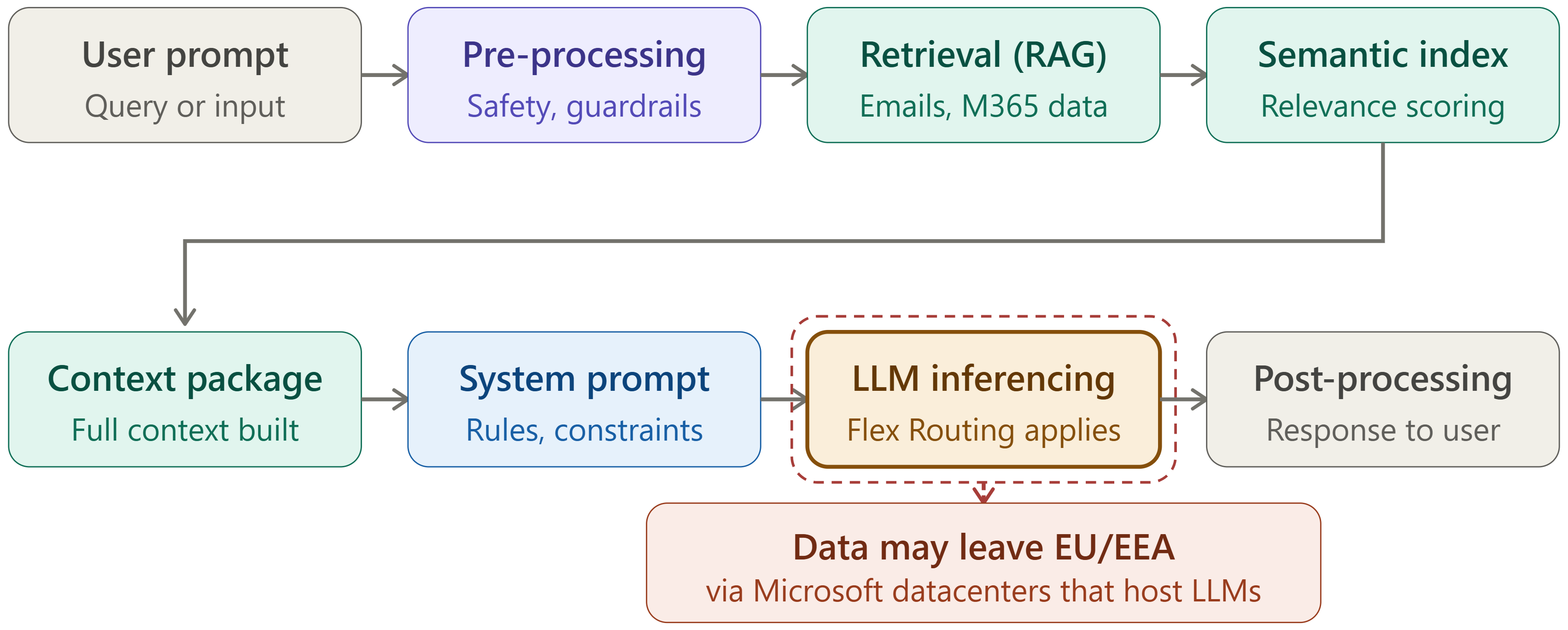
When Flex Routing kicks in, that entire package can be processed in a data center outside the EU. Microsoft states that the data is encrypted in transit, and the documentation mentions that "limited pseudonymized data may also be stored outside the EU data boundary for security and operational purposes." That likely refers to session IDs and usage timestamps, but the phrasing leaves room for ambiguity.
We drew a parallel to how Microsoft handles translations in the business versions of Office. Those translations happen in memory and the memory is purged afterward, leaving nothing behind.
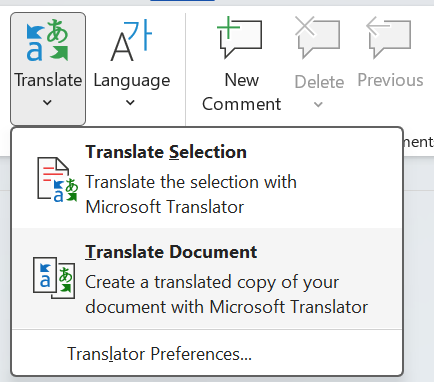
Whether the same applies here at the LLM level during Flex Routing is not yet clear from the available documentation. From a compliance perspective, that gap is significant. Organizations subject to GDPR need to know not just where data travels, but what remains, for how long, and who can access it.
The practical challenge: keeping up with the message center
The logical defense against unwanted default changes is vigilance. Monitor the Message Center, catch the announcements early, and adjust settings before they take effect. In practice, that is far easier said than done. One of us has built automated solutions for clients, using SharePoint Lists and flows to track Message Center posts, and even with that tooling in place, organizations still struggled to keep up. Priorities shift daily. Messages get buried. And occasionally, relevant changes are communicated through channels other than the Message Center entirely.
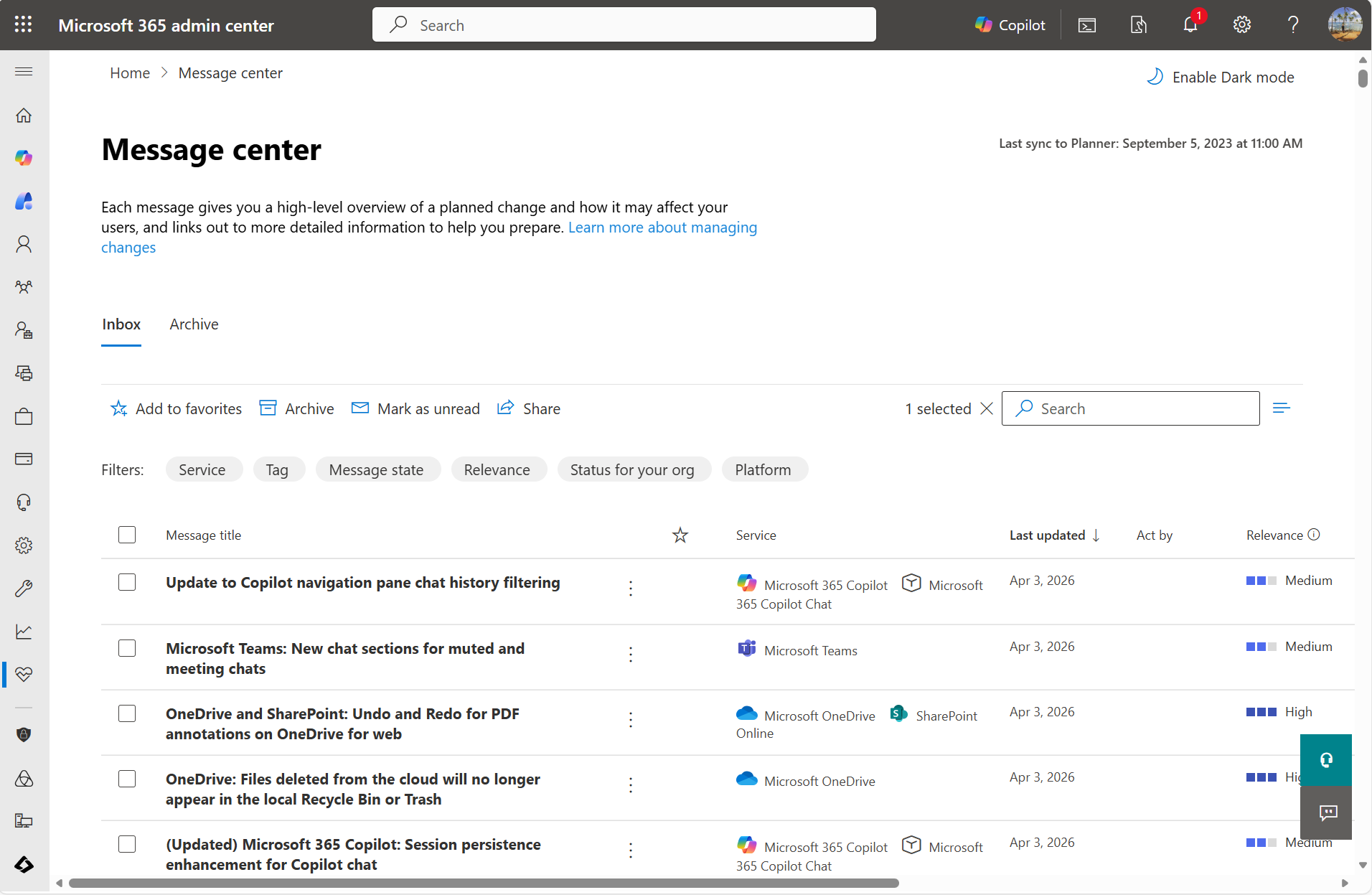
Many of the organizations we work with have some form of evergreening built into their IT operations, where a team monitors changes and evaluates whether design decisions or risk assessments need updating. This is exactly the kind of change that should trigger that process. But not every organization has that maturity, and the ones that do not are precisely the ones most vulnerable to a default-on setting slipping through.
The implications extend beyond technical configuration. If Flex Routing is active and a data subject raises a complaint, the organization needs to demonstrate where and when their data was processed, and by whom. Think of the Max Schrems case against Facebook: it only takes one determined individual to turn a compliance gap into a legal minefield.
What to watch next
We do not yet know whether this is an isolated decision or the beginning of a broader trend. If Microsoft continues enabling features by default that affect data residency, the relationship between cloud provider and enterprise customer shifts in a meaningful way. Organizations can no longer assume that regulatory safeguards are baked into the defaults. Instead, they need to treat every Message Center post as a potential compliance event.
For now, the action is straightforward: check your admin center, review the Flex Routing and Anthropic model settings, and decide whether they align with your organization's data processing agreements. If they do not, turn them off before April 17. And if you are advising clients, this is worth flagging immediately. Because the most dangerous compliance risk is the one nobody noticed was turned on.