
Making Copilot Notebooks work for you
How I used a focused AI workspace to keep my certification streak alive (and how you can use it for way more)

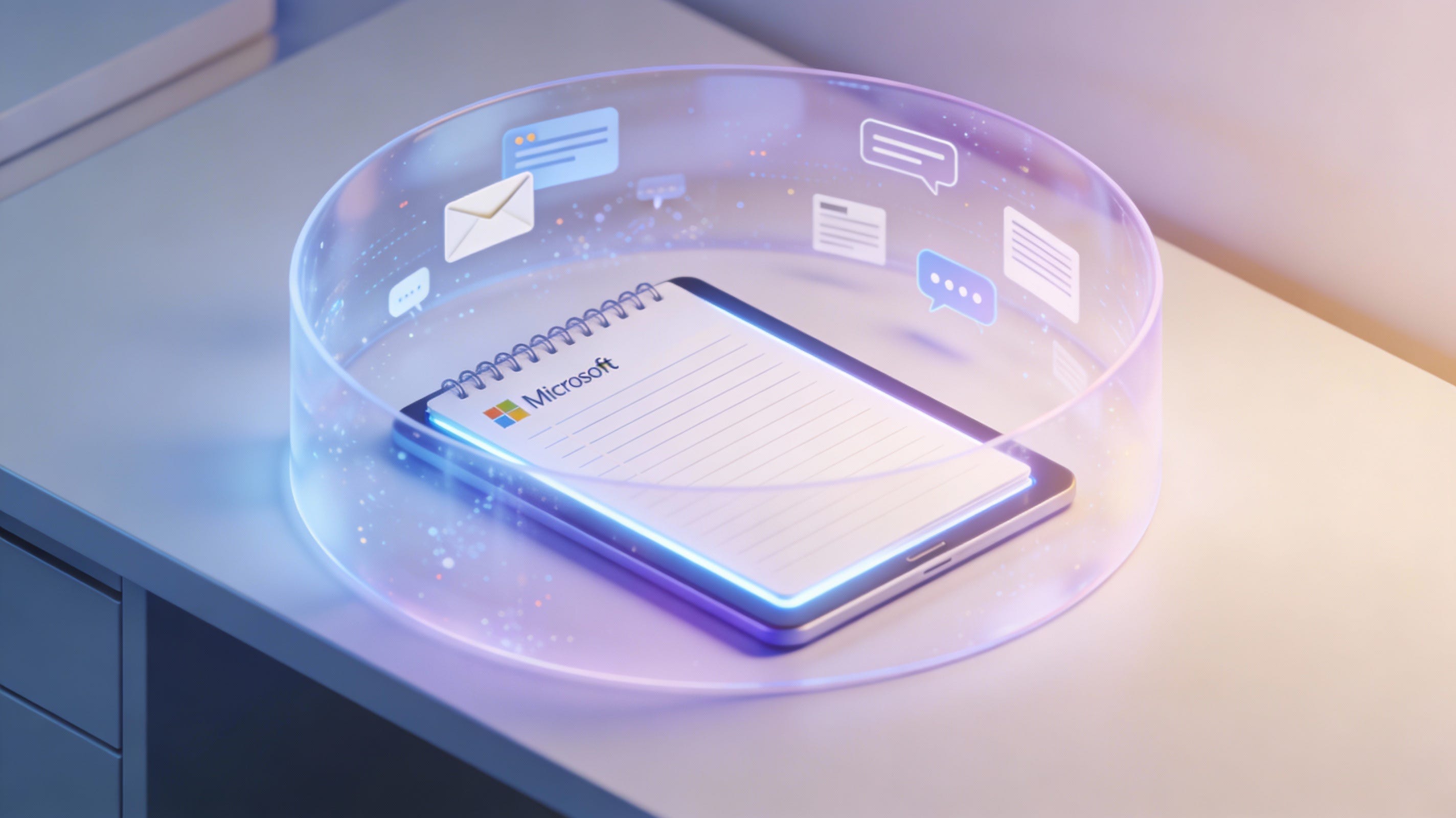
I am currently preparing for the AB-900 exam. For those keeping track of Microsoft’s alphabet soup of certifications, this is the new Copilot and Agent Administration Fundamentals exam. It felt like the perfect opportunity to actually use Copilot to learn about Copilot.
I have all the other Fundamentals exams under my belt and I have managed to pass every Microsoft exam I have taken on the first try so far. Knocking on wood, but I would very much like to keep that streak alive.
Usually, my study routine is simple: I open YouTube and check if the legendary John Savill has made a Study Cram. His presentation style and the way he breaks down complex topics usually give me enough to scrape by, combined with my daily hands-on experience. Lo and behold, he already put out a video for the AB-900 exam.
But because this exam is in Beta, there aren’t many practice tests available. My usual go-to, MeasureUp, does not have one yet.
So, I decided to build my own study buddy using Copilot Notebooks. I’ll use this exam scenario to demonstrate the power of Notebooks, but keep in mind you can apply this logic to almost any complex task.
If you haven’t spent much time in Notebooks yet, you might think it is just another chat window. It isn’t. Understanding why it is different is the key to making it work for you.
The “Clean Room” effect
In standard Business Chat (BizChat), Copilot tries to be helpful by searching your entire digital life. You ask a question about “Project Alpha,” and it pulls in an email from three years ago, a random Teams chat, and a file you forgot existed. It is powerful, but it can be noisy.
Notebooks are what I call a “bounded context.”
You upload specific files, such as a budget sheet, a slide deck, or a PDF and Copilot only knows what is in that container. It is a clean room. It limits hallucinations because the model cannot see outside the walls you have built.
We found this creates a reliability that the standard chat just cannot match. If you want to query a specific document without the noise of the rest of your tenant, Notebooks is the best place to do it.
Building the ultimate study guide
This “clean room” logic makes it perfect for studying. I start with an empty canvas. From there, I add the sources that will serve as the exclusive knowledge base for my session.
A quick tip: You can upload files from your local computer, OneDrive, or SharePoint, or paste a link. However, be aware that pasting a link to a generic website doesn’t work as a knowledge source yet. You need to link directly to a specific file, like a Word doc, PDF, Loop page, or OneNote.
For my AB-900 study session, I did two things:
The Teacher. I exported the transcript of John Savill’s study cram video, pasted it into a Word file and uploaded it.
The Syllabus. I added the official “Skills Measured” guide from the Microsoft Learn page in a Word file and uploaded it.
Now, I have a bounded context containing only the exact material I need to learn.
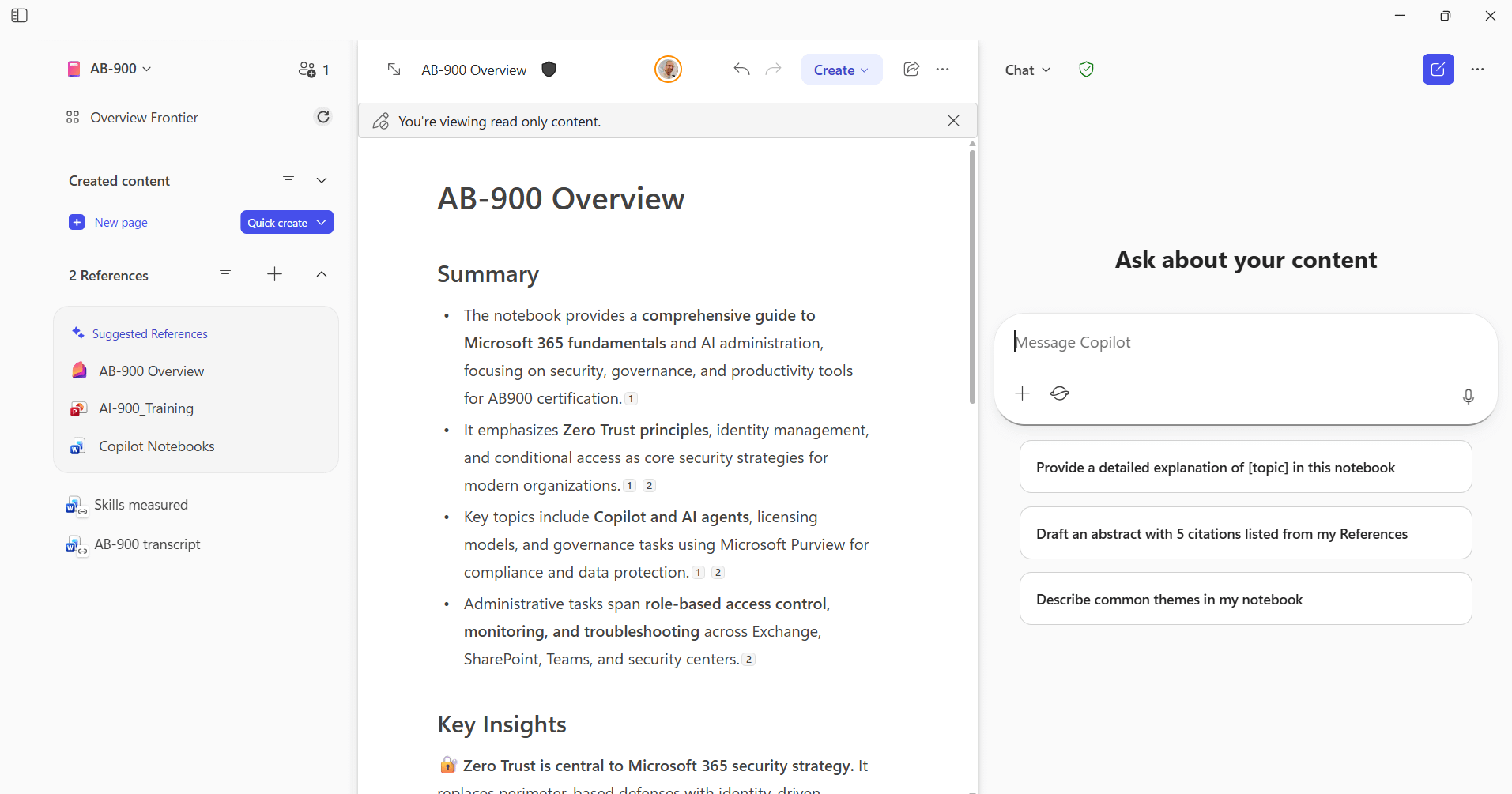
This setup allows me to use much more general prompts than I ever could in BizChat. If I ask, “What are the most important topics for the exam?”, Copilot doesn’t Google (or rather, Bing) the entire internet. It looks at the Skills Measured document, cross-references it with the Savill Transcript, and gives me an answer based purely on those two sources.
I can ask it to explain Zero Trust principles specifically as they relate to this exam. Or, because I am a visual learner, I can ask it to turn those principles into a table. It is like having a private tutor available 24/7.
Creating your own practice test
Since there are no official practice tests for this Beta exam yet, I decided to make Copilot build one for me on demand using Custom Instructions. I chose to use Custom Instructions because I don’t want to keep repeating the prompt every time I want to take a quiz. By defining it once, I can just tell Copilot I want a practice test and it knows exactly what I mean.
I put this into the Custom Instructions for the Notebook to generate a quiz:
If I ask for a quiz generate 5 unique multiple-choice questions based on the AB-900 transcript.
Randomize the order of the answers and don’t include the answer with the questions.
After I answer, tell me whether my answer is correct or incorrect and include a brief explanation.
This sounds great in theory, but in practice, I ran into a bit of a wall. Copilot is designed to be helpful, which means it really wants to give you the answer. Even though I explicitly told it to act like a strict examiner, it struggles to fight its nature.
As you might see in the video above, I haven’t quite cracked the code yet. Despite my instructions, I often get the same questions repeatedly, the correct answer is suspiciously often “B”, and Copilot is sometimes so eager to help that it suggests the correct answers in the follow-up prompts before I’ve even answered.
So, instead of a perfectly functioning quiz machine, I currently have a new challenge to keep me busy: figuring out how to make Copilot less “helpful” and more random. If anyone has the golden prompt to fix these issues, let me know!
Inclusivity matters
I try to make it a habit to view features from an inclusivity standpoint. Copilot Notebooks scores high here as well.
It ensures that I can have things explained at my own level. If I find it difficult to read a dense text, I can ask for clarification through questions. This lowers the barrier to entry significantly.
An additional feature that feels like magic is the Audio Overview.
You can turn your Notebook content into a podcast. But the coolest part is the customization. You can instruct the “hosts” on who their audience is. I told the Notebook:
“I am studying for the AB-900 exam. I have experience with Microsoft products and work with Copilot daily, but please explain new concepts in simple terms.”
The resulting audio overview wasn’t just a generic summary; it was tailored to my level of expertise.
The audio overview gives a huge boost to accessibility as well. Soon, the ability to ask questions during the audio overview will become available. These questions will be answered ‘live’ in the podcast format. This makes it much easier to learn if you prefer audio over text, whether that is for reading or typing.
Share my homework
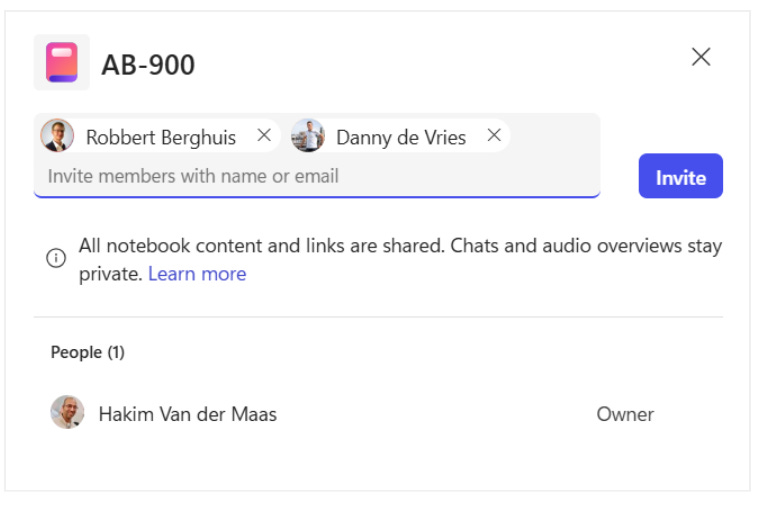
Copilot Notebooks has been available since May 2025. So why are we just now talking about this? Mainly because Microsoft just recently added the possibility to share a Notebook with someone else. This changes the game entirely.
In the old days, if I wanted to help a colleague study, I would have to email them a zip file of PDFs, links to videos, and my messy handwritten notes. They would have to sort through it all themselves.
Now, I just share the Notebook.
My colleague can open the same “clean room” I built. They get the transcript, the study guide, and they can start asking their own questions immediately.
Beyond the exam
Obviously, I am using this for certification prep, but hopefully, you can see how this could apply to so much more than studying for an exam. Some examples that come to mind:
Onboarding: Create a Notebook with all the project documentation and HR guides for a new hire. Let them ask “stupid questions” to the bot instead of feeling anxious about asking a manager.
Project War Room: Dump a specific project’s budget, timeline, and emails into a Notebook. It becomes a specialized assistant that knows everything about that specific project and nothing else.
Parenting: Upload your kid’s history textbook chapters (PDF) and let them ask questions at their own grade level about the things they find difficult.
The possibilities are endless. If you want to query specific knowledge without the noise of the rest of your tenant, Copilot Notebooks is the place to do it.
Whether you are chasing a certification or managing a chaotic project, sometimes the best thing AI can give you is a little less noise and a little more focus. Give Notebooks a shot and see the difference yourself.